WordPress websites tend to grow quietly.
A few posts become a few dozen. Categories expand. Custom post types appear. Pages, archives, and taxonomies start carrying more weight than anyone expected. After a while, the site clearly has a lot of content, but measuring that content in a simple and useful way becomes harder than it should be.
That is the problem that led me to create Marbak Word Count Analytics.
The problem behind it
In real WordPress work, there are plenty of moments when a rough impression is not enough.
Sometimes you need to know how much content exists before planning a migration. Sometimes you want to compare how much substance sits inside one section of a site versus another. Sometimes the job is an SEO review, and you need to quickly spot thin content or underdeveloped topic areas.
WordPress stores all of that content, of course, but it does not provide a clean built-in way to review total word counts across post types and taxonomy terms in one place.
That gap is small, but surprisingly practical.
What I wanted from a tool like this
I did not want a heavy reporting plugin full of charts, dashboards, and endless settings.
I wanted something narrower and more useful:
- a simple overview of total words and average content length
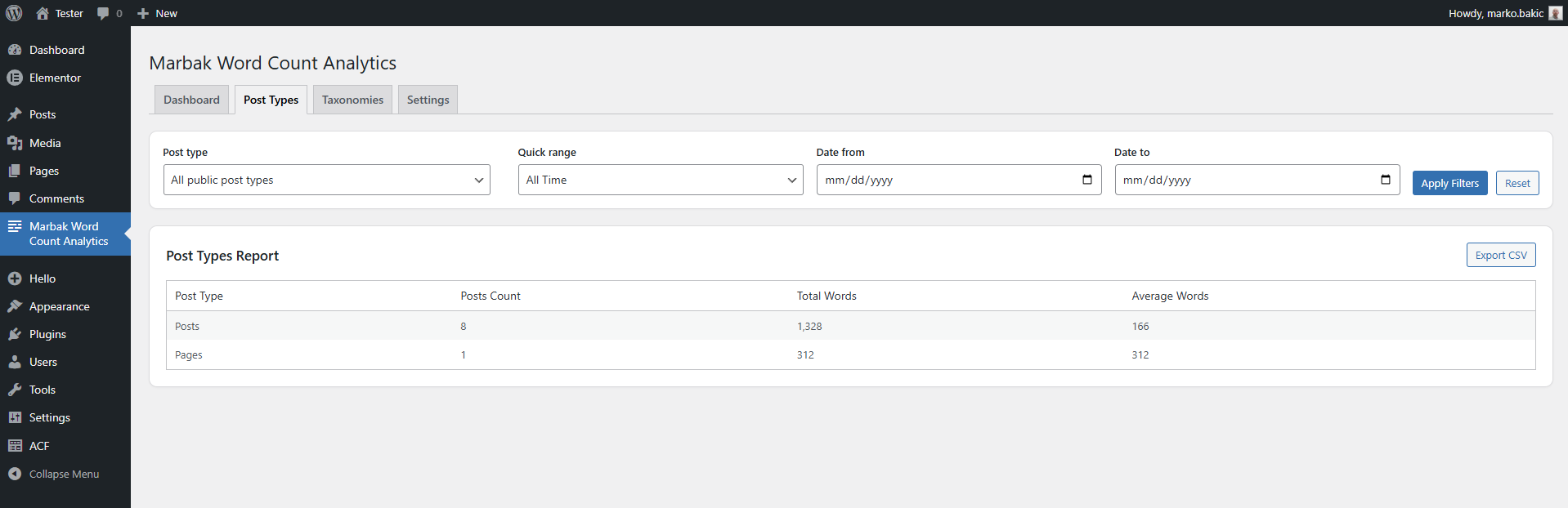
- a report by post type
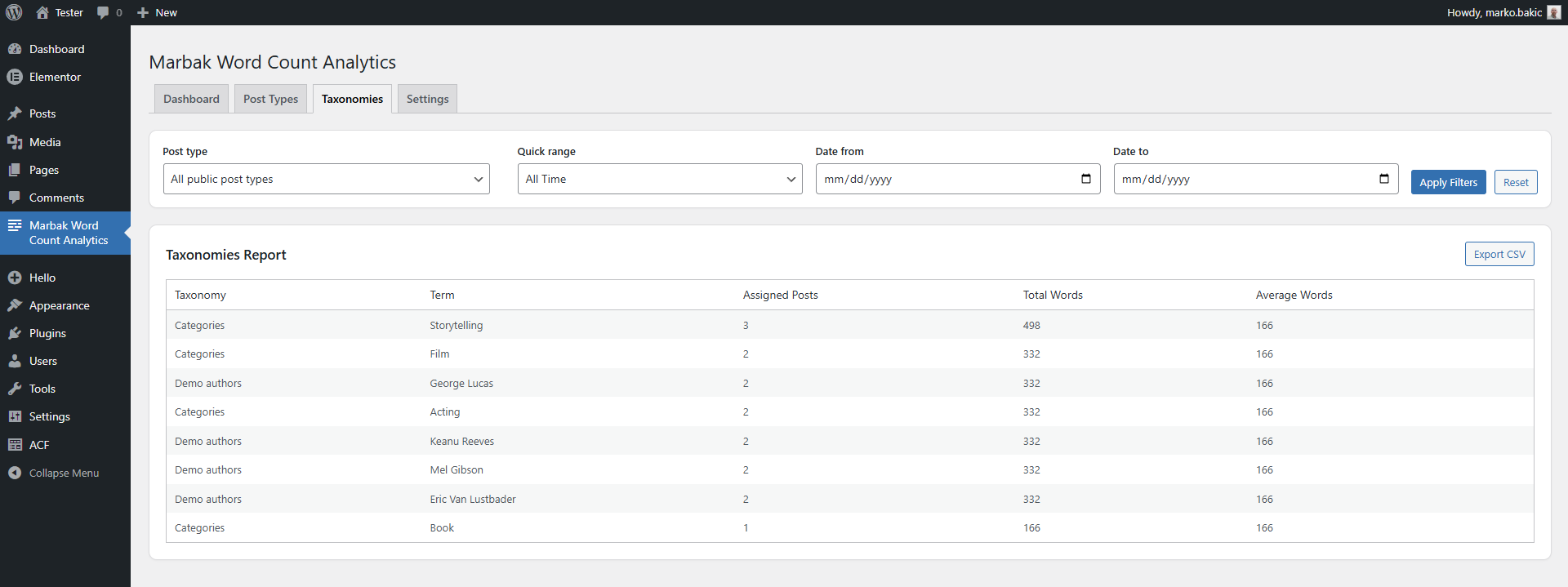
- a report by taxonomy term
- date filtering for more focused analysis
- CSV export for anyone who wants to work with the data outside WordPress
That became the foundation of the plugin.
Why taxonomy reporting mattered
There are already different ways to count words inside WordPress, but most of them stop at the individual post level or treat the site as one undifferentiated mass.
That was not the part I cared about most.
What interested me more was structure.
How much content sits inside one category compared to another?
Which custom taxonomy terms are carrying most of the weight?
Are some sections of the site much thinner than they appear at first glance?
That is where reporting by taxonomy term becomes much more useful than a simple word count.
What the plugin does
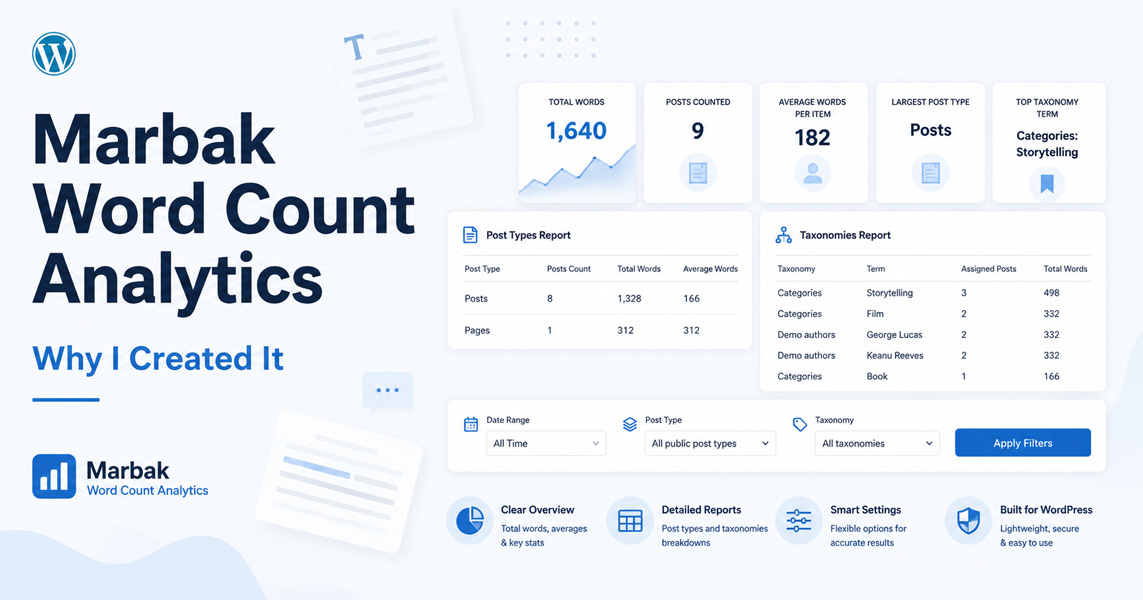
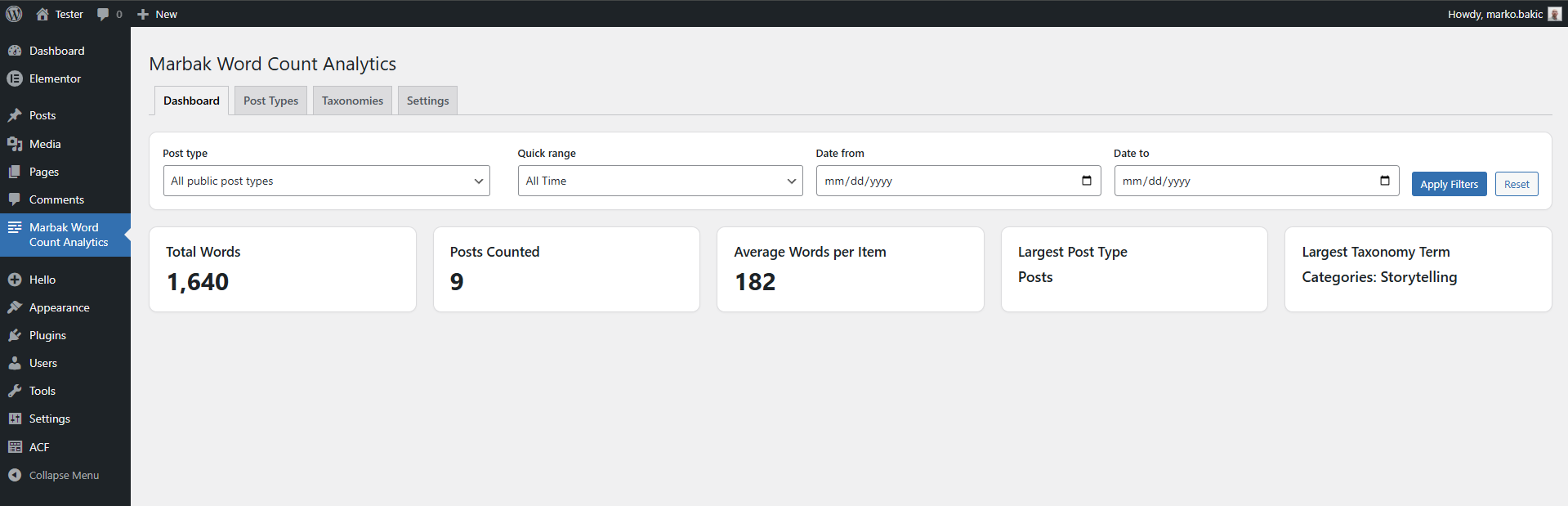
Marbak Word Count Analytics gives a small admin area with four clear parts:
- an overview screen with total words, posts counted, and average words per item
- a post types report
- a taxonomies report
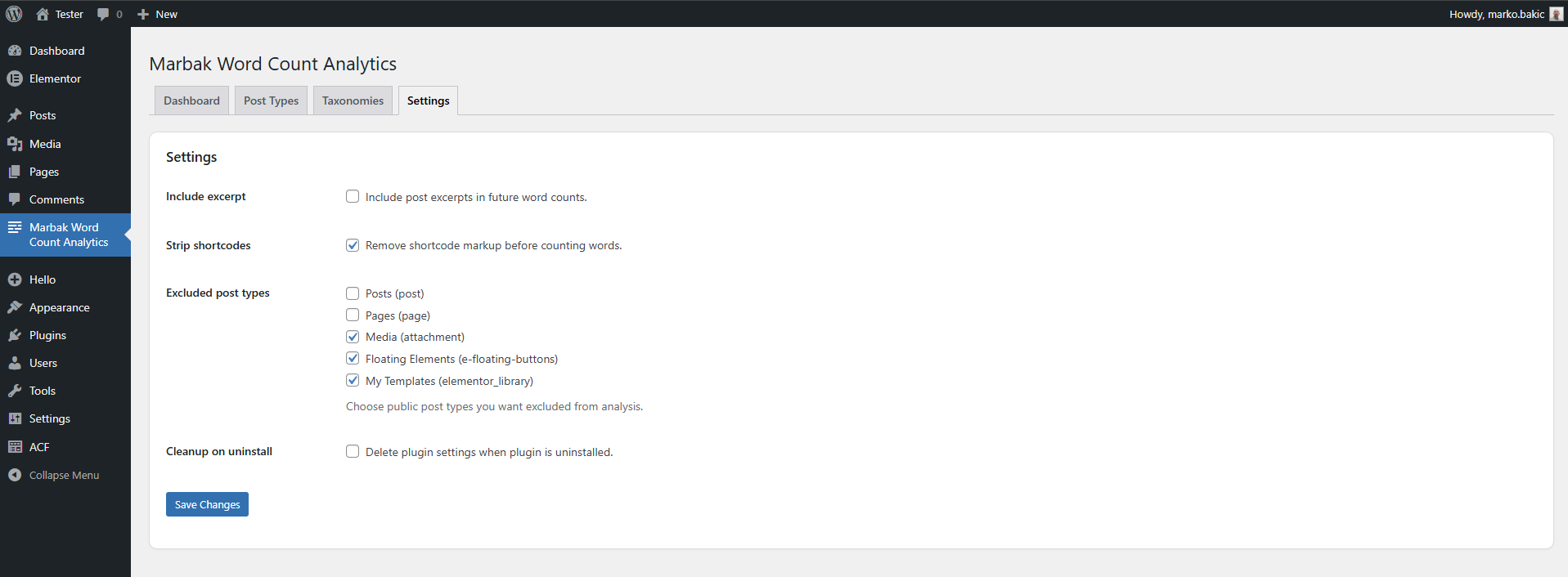
- a settings screen for exclusions and counting behavior
It also includes quick date ranges, custom date filters, and CSV export for both reporting screens.
The plugin can optionally include excerpts and strip shortcode markup before counting, which helps keep the numbers more practical depending on the site setup.
Video Demo
If you’d rather see the plugin in action first, here’s a short demonstration:
Why I kept the scope narrow
One of the easiest mistakes in plugin development is to keep adding “just one more thing” until the original idea disappears.
This plugin could easily become much bigger.
It could try to count ACF fields, builder content, custom database structures, and every other possible content source inside a modern WordPress installation. But once you go too far in that direction, the output becomes less predictable and the tool becomes heavier to maintain.
So I kept the scope tighter on purpose.
At this stage, the plugin focuses on native WordPress content fields and optional excerpts. That keeps the behavior easier to understand and the reports easier to trust.
Real use cases
The plugin was built with practical use in mind, not abstract metrics.
A few obvious examples:
- reviewing content depth during SEO audits
- estimating site content before migrations or rebuilds
- comparing sections of a site for editorial planning
- giving agencies a simple way to report content production
- understanding where a growing WordPress website is actually becoming content-heavy
None of that is glamorous, but all of it is useful.
A small tool, on purpose
Like most of the plugins I build, this one did not start as a product idea.
It started as a practical need.
I wanted a clearer way to answer a simple question: how much content is really here, and where is it concentrated?
That is still the point of the plugin now.
If you want to take a look, you can visit the full plugin page here: Marbak Word Count Analytics.