Elementor Pro Loop Grid is great when you want dynamic content and flexible layouts, but it falls short when you need exact editorial control.
That gap becomes obvious the moment you want specific posts to stay in fixed positions inside the grid.
Maybe you want the first slot to always show a priority article. Maybe you want the next few positions reserved for selected posts, while the rest of the grid continues filling with the latest content. Or maybe you need a layout where empty positions should still be filled automatically, but only after the reserved positions have been respected.
That is the problem I wanted to solve with Marbak Fixed Slots for Elementor Loop Grid.

The problem with standard Loop Grid behavior
By default, Elementor Loop Grid follows the query order you give it. That works well for many cases, but it is not designed for true fixed slot logic.
You can sort by date, taxonomy, manual selection, and other query rules, but that is not the same as saying:
- this post must stay in Slot 1
- this post must stay in Slot 2
- if Slot 3 has no assigned post, fill it automatically
- if the grid displays more posts than the reserved positions, append the extra posts after those reserved slots
That kind of behavior is more editorial than query-based.
And once you need it, workarounds start getting messy fast. You can try separate grids, multiple templates, or manual homepage editing, but that adds complexity and creates more room for mistakes.
What the plugin does
This plugin extends Elementor Pro Loop Grid by adding fixed slot ordering.
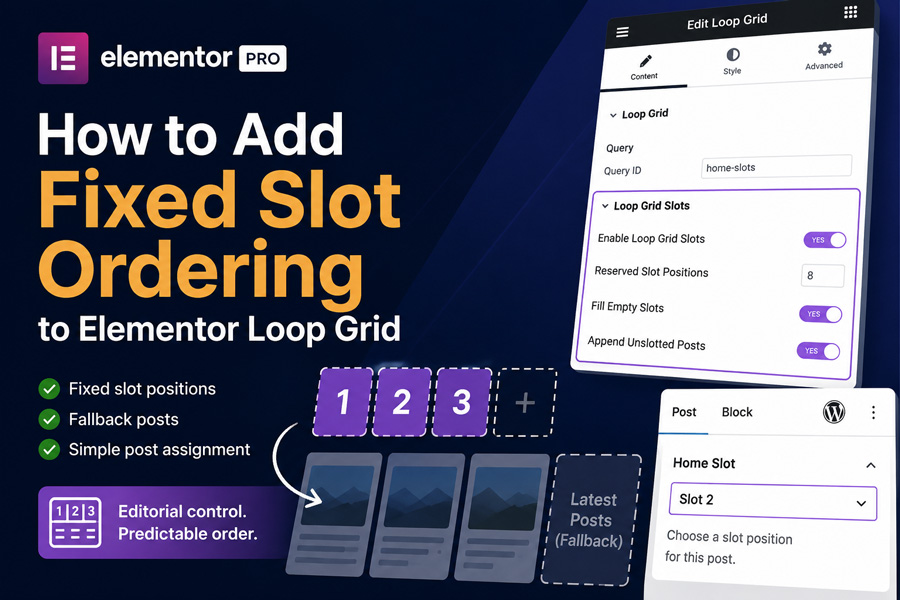
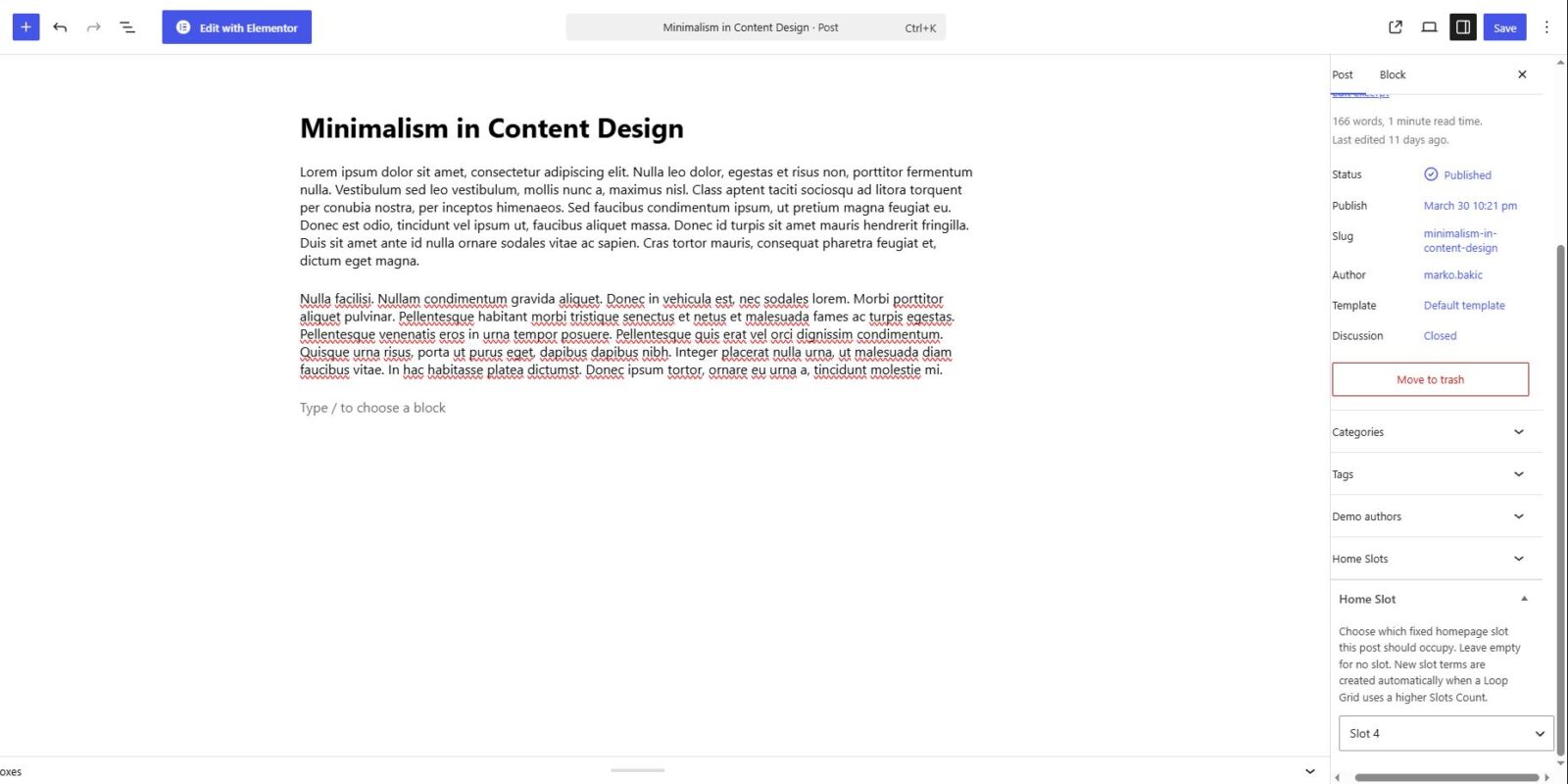
It creates a built-in Home Slots taxonomy and lets editors assign posts to slot positions directly from the post editor sidebar.
Inside the Loop Grid widget, you can then define how many Reserved Slot Positions the grid should use.
The result is simple:
- assigned posts appear in their exact slot positions
- empty reserved positions can be filled automatically with the latest posts
- duplicate posts are prevented
- if the grid shows more posts than the reserved positions, extra unslotted posts are appended after those reserved positions
That keeps the visual layout intact while making the editorial workflow much easier.

Why this approach works better
What I like about this solution is that it stays close to Elementor’s existing workflow.
It does not replace Loop Grid.
It does not force a separate custom widget.
And it does not ask editors to open and modify the page layout every time they want to update the content order.
Instead, the workflow becomes:
- assign a post to a Home Slot
- update the post
- let the Loop Grid render that slot order automatically
That is a much cleaner editorial setup, especially for sites where content changes often but the page layout should stay stable.
Reserved slot positions vs items per page
One useful part of the plugin is the difference between:
- Reserved Slot Positions
- Items Per Page
That distinction matters.
For example:
- if Reserved Slot Positions is set to 8 and Items Per Page is 8, the grid shows the 8 reserved/slotted posts
- if Reserved Slot Positions is 8 and Items Per Page is 9, the first 8 positions stay reserved and the 9th post is appended after them
- if Reserved Slot Positions is 9 and Items Per Page is 9, then all 9 visible positions are reserved and only the 9 slotted posts are shown
That makes the behavior predictable and gives the layout a more intentional editorial structure.

Who this is useful for
This plugin is useful anywhere a Loop Grid needs more control than a normal query can provide.
For example:
- homepage article grids
- magazine-style layouts
- content-heavy blogs
- editorial landing pages
- client sites where non-technical editors need a simple slot-based workflow
If the visual layout is already good in Elementor but the order of posts needs more control, this plugin fits that gap well.

Final thought
I built this plugin because Loop Grid was already close to what I needed. The layout side was fine. The missing part was fixed slot logic.
Instead of working around that problem with more templates or more manual page editing, I wanted a small addon that made Loop Grid behave in a more editorially useful way.
That is exactly what this plugin is meant to do.
If you want to check it out, you can find it here:
Website: https://markobakic.com/plugins/marbak-fixed-slots-for-elementor-loop-grid/
WordPress.org: https://wordpress.org/plugins/marbak-fixed-slots-for-elementor-loop-grid/
GitHub: https://github.com/markobakic-srb/marbak-fixed-slots-for-elementor-loop-grid