Why I built it
Elementor Loop Grid already handles layout well, but it does not include a built-in way to keep posts in exact fixed positions.
I needed a way to reserve specific grid positions for selected posts while still allowing the rest of the grid to behave naturally. In some layouts that meant eight reserved positions, in others more, and empty positions still needed to be filled automatically without breaking the order.
I did not want to solve that by building multiple separate grids or by asking editors to edit the homepage layout directly. I wanted the logic to stay inside the existing Loop Grid workflow.
That is why I built this plugin. It adds the missing slot logic while keeping Elementor’s own Loop Grid structure.
What it does
- Extends Elementor Pro Loop Grid with fixed slot ordering
- Creates a built-in Home Slots taxonomy
- Creates default slot terms such as
slot-1toslot-8 - Adds a Home Slot selector in the post editor sidebar
- Lets you define Reserved Slot Positions inside the Loop Grid widget
- Automatically fills empty reserved positions with the latest posts
- Prevents duplicate posts inside the same grid
- Appends extra unslotted posts after reserved slot positions when needed
- Automatically creates additional slot terms when the reserved slot count is increased
Use cases
- Homepage grids where the first positions need to stay manually controlled
- Editorial layouts where featured posts should hold fixed positions
- Sites that publish in batches and need predictable ordering
- Magazine-style or blog layouts where fallback posts should appear only after reserved positions
- Elementor builds where Loop Grid is already visually correct but missing slot logic
- Client sites where editors should assign posts from the post editor, without touching the page layout
Interface / How it works
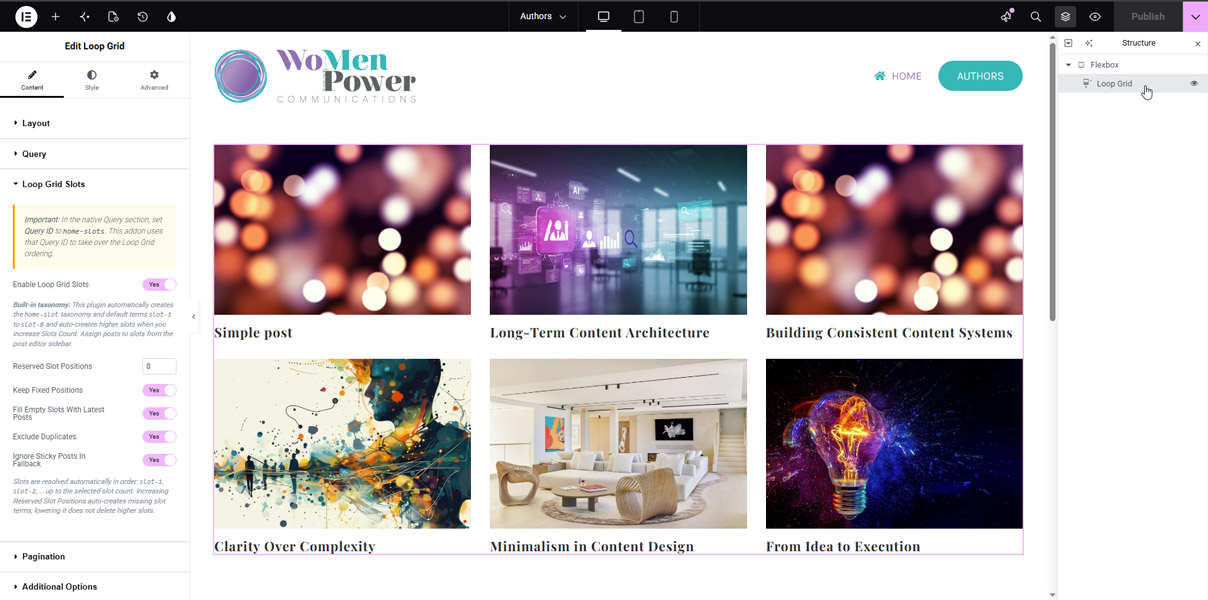
The plugin adds a new Loop Grid Slots panel inside Elementor Pro Loop Grid.
In the widget, you enable the feature, set the Query ID to home-slots, and choose how many Reserved Slot Positions the grid should use.
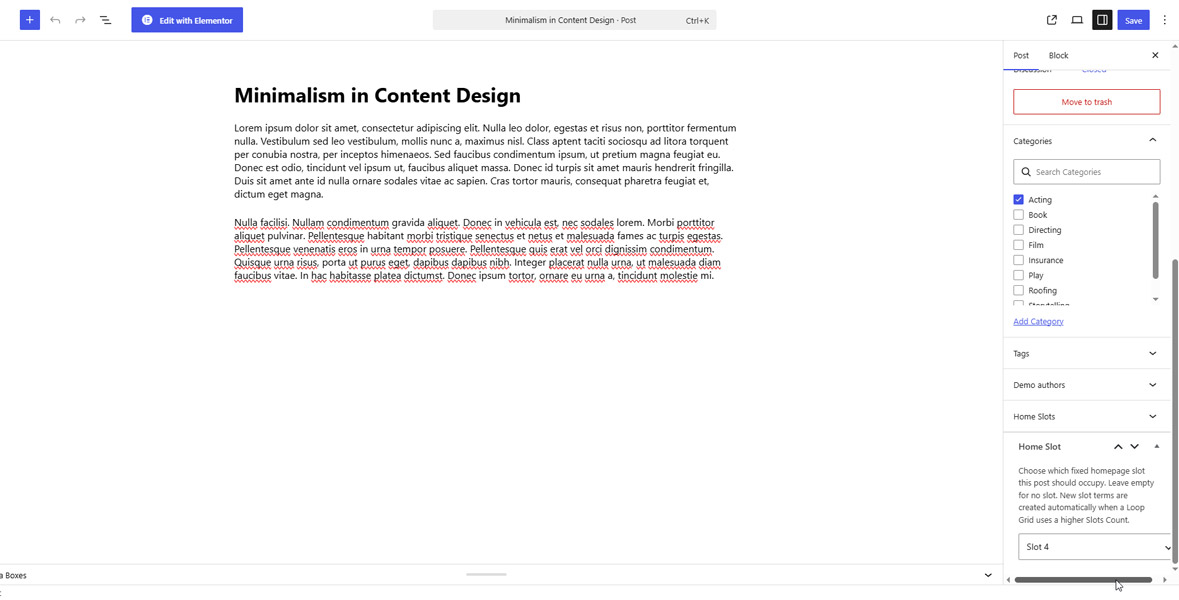
On the post side, the plugin adds a simple Home Slot selector in the editor sidebar. A post can be assigned to Slot 1, Slot 2, Slot 3, and so on.
When the grid renders, assigned posts are placed in those exact positions. If some reserved positions are empty, the plugin fills them with the latest available posts while keeping the slot order intact. If the total number of displayed posts is higher than the reserved count, the extra unslotted posts are appended after the reserved positions.
Scope / Philosophy
This is a small, focused addon.
It does not try to replace Elementor Loop Grid, and it does not introduce a separate custom grid widget. The goal is to keep the existing Elementor workflow and add only the missing part: fixed slot logic.
That also means some choices are intentional. The plugin is built specifically for Elementor Pro Loop Grid, uses a single built-in slot taxonomy, and keeps the editorial workflow simple instead of turning it into a larger configuration system.