Why I built it
Working on WordPress projects often means jumping between multiple plugins and theme files just to locate a single string, function, or hook.
Even with good local setups, there are many situations where quick access inside the WordPress admin becomes more practical — especially when reviewing live environments, debugging content output, or working across unfamiliar codebases.
This plugin was built to simplify that process.
Instead of switching tools or digging through files manually, it provides a focused way to search through active plugin and theme code directly from the dashboard.
What it does
Admin Code Search allows you to:
- search across all active plugins and the current theme
- locate strings, functions, classes, and code fragments
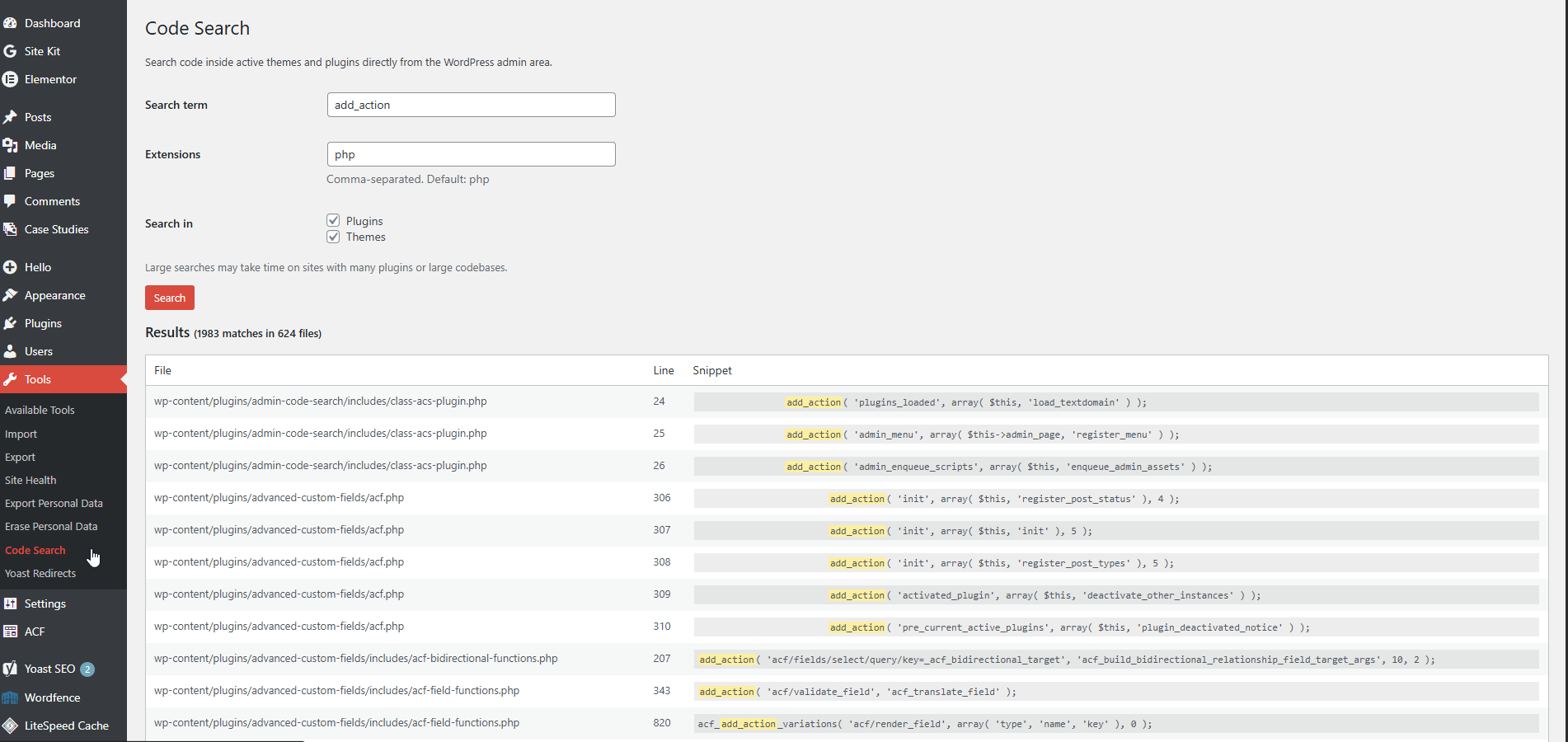
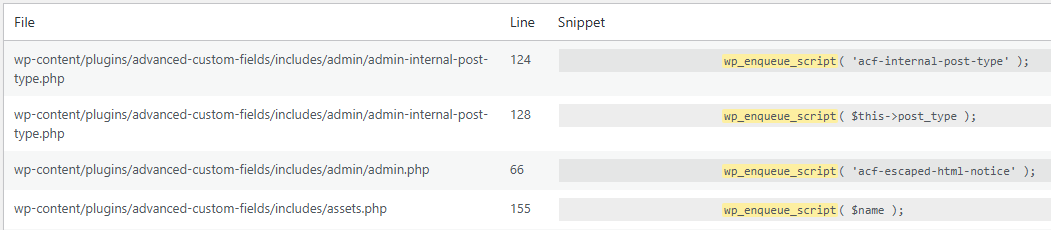
- view matched results with file paths and line numbers
- see exact line matches with highlighted results
- limit search scope through included/excluded paths
- work safely within an admin-only interface
The goal is not to replace full development tools, but to provide a fast, reliable way to locate code when working inside WordPress.
Watch a Quick Demo
See Admin Code Search in action and learn how to find functions, hooks, and code snippets directly from the WordPress admin area.
Use cases
This tool is particularly useful when:
- tracking down where a specific text string is defined
- locating a function or hook inside a plugin
- identifying template output sources
- reviewing customizations in active theme files
- debugging frontend elements tied to unknown code origins
- navigating large or unfamiliar WordPress installations
It’s designed for quick inspection and orientation — especially in real project environments.
Interface
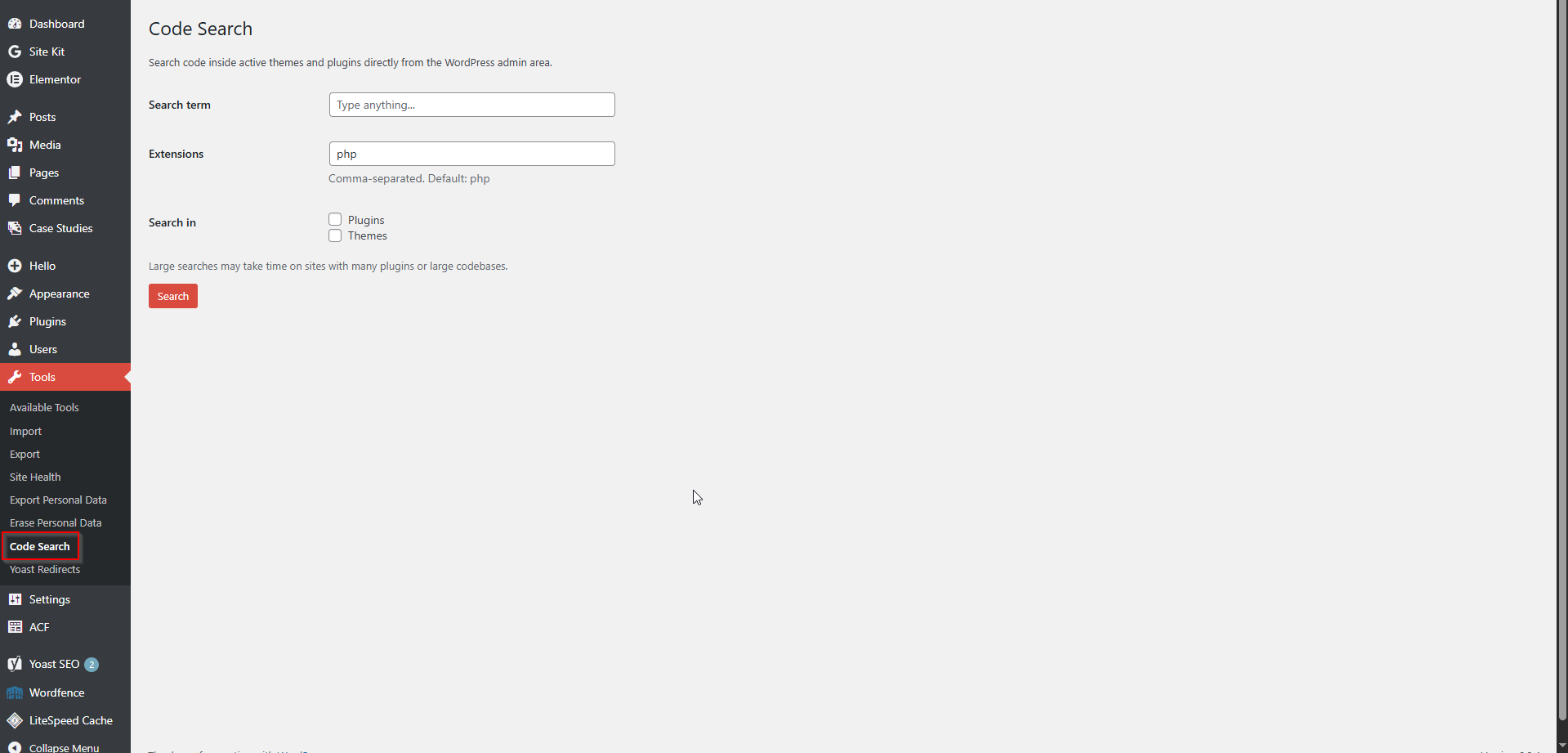
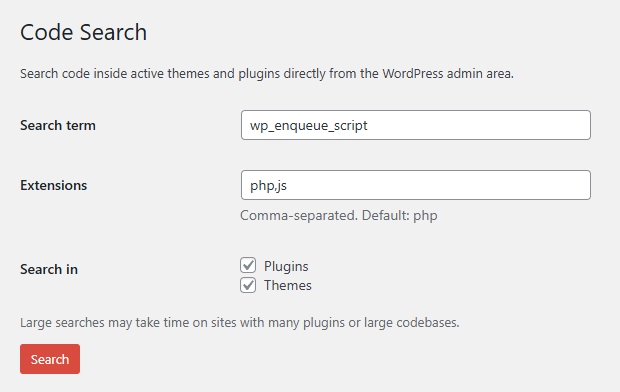
The interface is intentionally simple.
A single search field allows you to enter any term, with results displayed as:
- file path
- line number
- exact matched line with highlighted content
This keeps the focus on clarity and speed, without introducing unnecessary complexity.
Scope and approach
This plugin was built as a focused utility.
It does one thing — searching code — and aims to do it efficiently, without expanding into a full development suite.
There are no unnecessary features, no heavy UI layers, and no attempt to replicate external tools.
The emphasis is on:
- speed
- clarity
- minimal footprint
- practical use in real workflows
Notes
- The plugin is available as a free tool on WordPress.org
- Access is restricted to administrators
- Designed to work within standard WordPress environments without additional configuration
Availability
Admin Code Search is available on WordPress.org: