The challenge
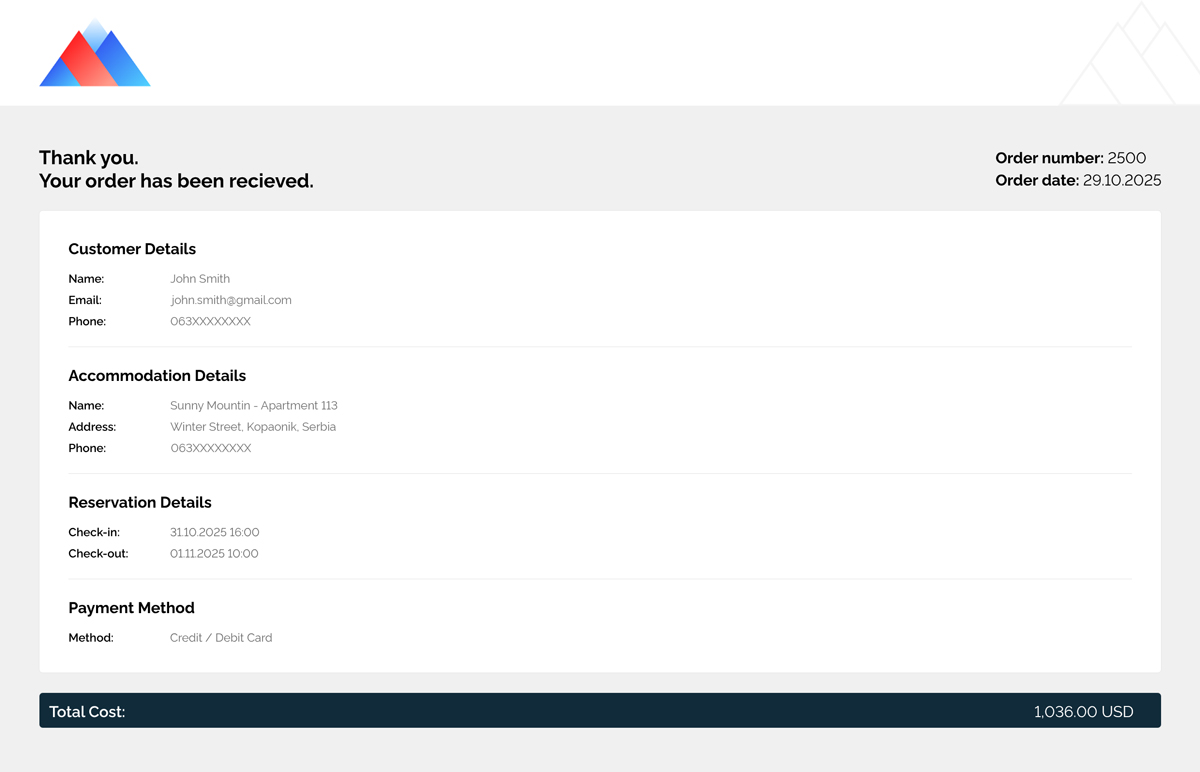
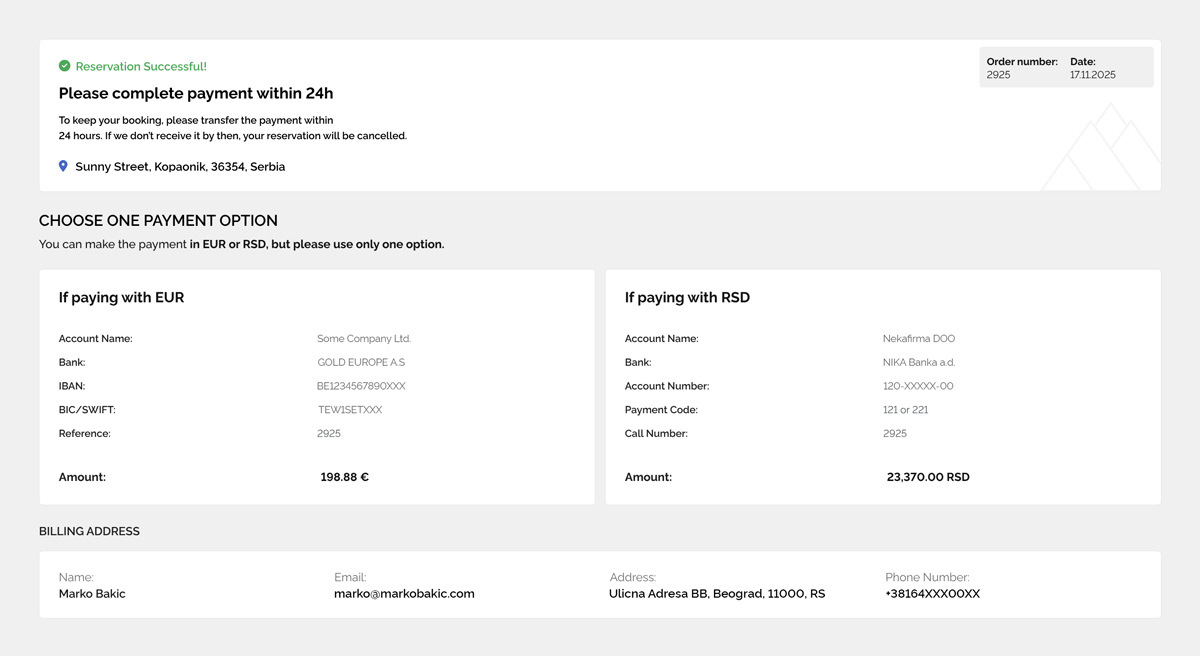
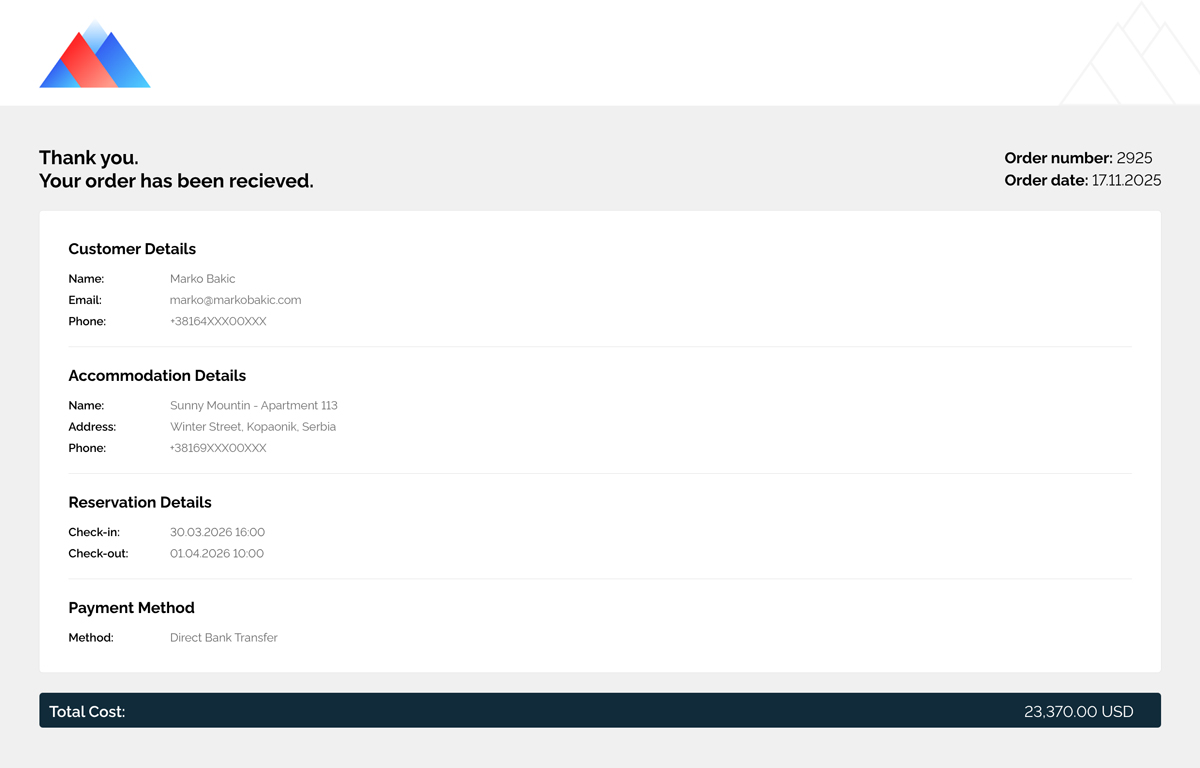
A booking platform built on WordPress, WooCommerce, and Listeo needed a reliable way for guests to download a PDF version of their reservation directly from the order confirmation page. The output had to change depending on the selected payment method: card payments required a one-page confirmation, while bank transfer bookings needed a two-page document that also included payment instructions.
The bigger challenge was that the PDFs could not be rough approximations. They needed to match Elementor-based layouts closely, while still working with live order data and secure per-order access. Standard HTML-to-PDF options were not giving accurate enough results, and the hosting setup ruled out heavier rendering solutions.
What needed to work
The system had to generate PDFs that looked consistent with the site’s Elementor templates, pull in the correct order and booking details, and choose the right document structure automatically based on payment method. It also had to stay lightweight enough for shared hosting and secure enough that one customer could only access their own reservation documents.
On top of that, the setup needed to remain stable across staging and production, even when template IDs differed between environments.
My approach
I built a custom WordPress plugin around a secure rendering pipeline rather than trying to force a traditional PDF library to mimic Elementor output. The core idea was to render the correct Elementor template through a protected endpoint, capture it as a high-resolution image, and then assemble the final PDF server-side.
To make the templates useful in real booking scenarios, I added custom shortcodes that could output live order and listing data inside Elementor layouts. That included details such as order number, dates, totals, billing info, listing details, check-in and check-out dates, payment method, and booking reference data.
For the visual rendering layer, the system used ApiFlash to capture the Elementor output at a fixed A4 size with quality settings tuned for readability. Card payments generated a single-page PDF, while bank transfer bookings generated a two-page version from two separate template captures. Those images were then assembled into the final PDF using Imagick.
The download logic itself was also payment-aware. A single order download route automatically determined whether the booking should produce a one-page or two-page PDF, which kept the user experience simple while allowing the backend to stay flexible. Generated files were cached in uploads for performance.
Technical notes
This project was really about finding a dependable workaround for a very specific production problem. The challenge was not just generating PDFs, but generating them accurately from Elementor designs without relying on server-heavy tools that the hosting environment could not support.
The final setup combined WordPress, WooCommerce, Elementor templates, a custom plugin, a secure render endpoint, custom shortcodes, ApiFlash for HTML-to-image rendering, and Imagick for PDF assembly. That mix made it possible to get visually accurate output while keeping the solution practical for the hosting constraints in place.
Outcome
The finished system gave guests a straightforward “Download as PDF” option directly from the booking confirmation flow, while ensuring the output remained accurate, branded, and tied to the correct order. It also handled one-page and two-page variants cleanly, without blank pages or broken layouts.
From a technical point of view, the result was a secure and production-ready document generation workflow that worked within shared hosting limits, stayed stable across environments, and avoided the usual mismatch between page builders and PDF libraries.