1. Context
A filterable Events directory was implemented using:
- Custom Post Type (Events)
- ACF fields (including Google Map + Date Picker)
- Elementor Loop Grid
- JetSmartFilters
However, the system exhibited instability:
- Google Maps errors in admin and front-end
- Overcomplicated location logic (distance-based approach)
- Conflicting Google API key configurations
- Event ordering and date display inconsistencies in the Loop
The stack worked in theory — but not reliably in production.
2. Operational Constraints
The directory needed to:
- Allow editors to add events easily
- Provide simple, predictable front-end filtering
- Avoid fragile API dependencies in the UX
- Remain scalable as new event locations were added
- Require minimal long-term technical maintenance
The existing implementation was technically ambitious — but operationally heavy.
3. Platform Strategy
Rather than forcing map/distance filtering to behave predictably, the system was simplified.
Key decisions:
- Remove distance-based location filtering logic
- Base filtering on scalable taxonomies instead of geolocation
- Keep filtering UX intentionally minimal
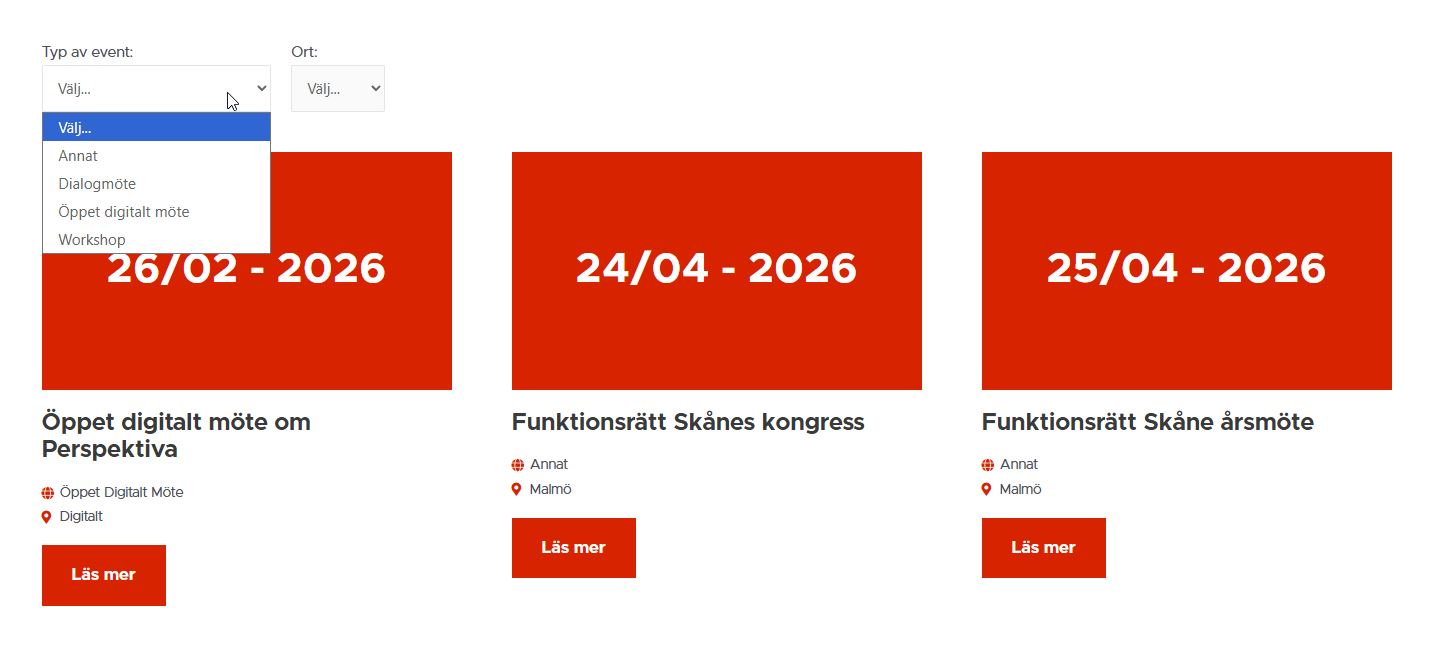
Final filtering model:
- Event Categories (taxonomy)
- Event Locations (taxonomy-based city grouping)
- Remove Filters control (clear/reset state)
This reduced complexity, improved reliability, and made the directory easier to maintain.
4. Content & Filtering Architecture
4.1 Event Entry Model
Editors create events using:
- Event Category taxonomy
- Event Location taxonomy
- ACF fields as needed (including map and date picker)
Event Location taxonomy replaced map-based filtering logic.
This enables:
- Clean filtering
- Predictable queries
- Scalable city/location management without hard-coded lists
4.2 Front-End Filtering Model
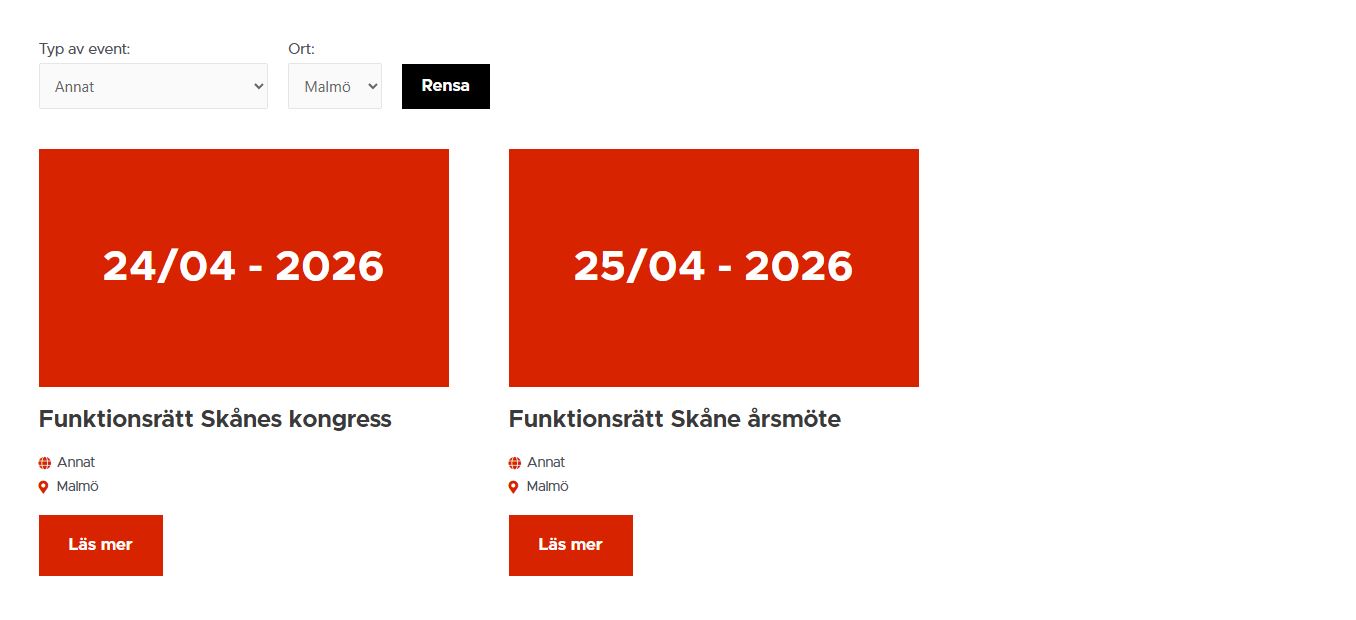
The directory uses:
- Elementor Loop Grid
- JetSmartFilters (Category + Location filters)
- A clear Remove Filters action
Result:
Filtering is fast, predictable, and scalable — without geolocation complexity.
5. Google Maps Stabilization
Google Maps was retained only for editor usability (optional location input), not for filtering.
API conflicts were resolved by:
- Connecting the project to an active billing account
- Enabling required APIs
- Consolidating API key usage across plugin/theme components
- Correcting referrer restrictions to prevent front-end and admin conflicts
Maps stability was restored, while filtering remained taxonomy-driven — reducing fragility.
6. Chronological Ordering & Data Integrity Architecture
After the filtering architecture was stabilized, an additional issue remained:
Event ordering and date display behavior were inconsistent.
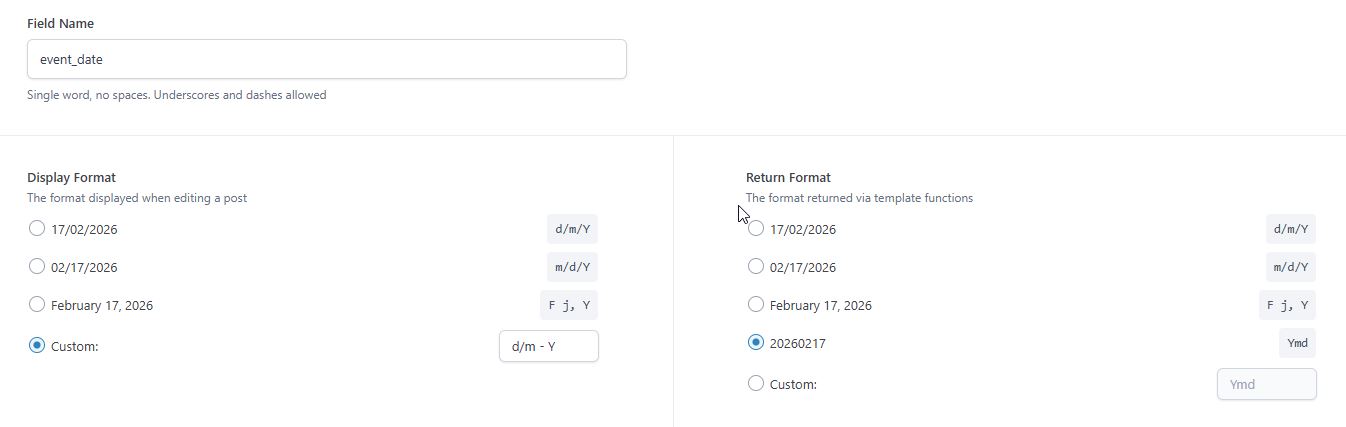
The directory uses an ACF Date Picker field:
- Field name:
event_date - Stored format:
Ymd(e.g.20260226)
6.1 Identified Problems
1) Incorrect date output in the Loop
Elementor Loop Item occasionally displayed the raw stored value (20260226) instead of a formatted date.
2) Incorrect event ordering
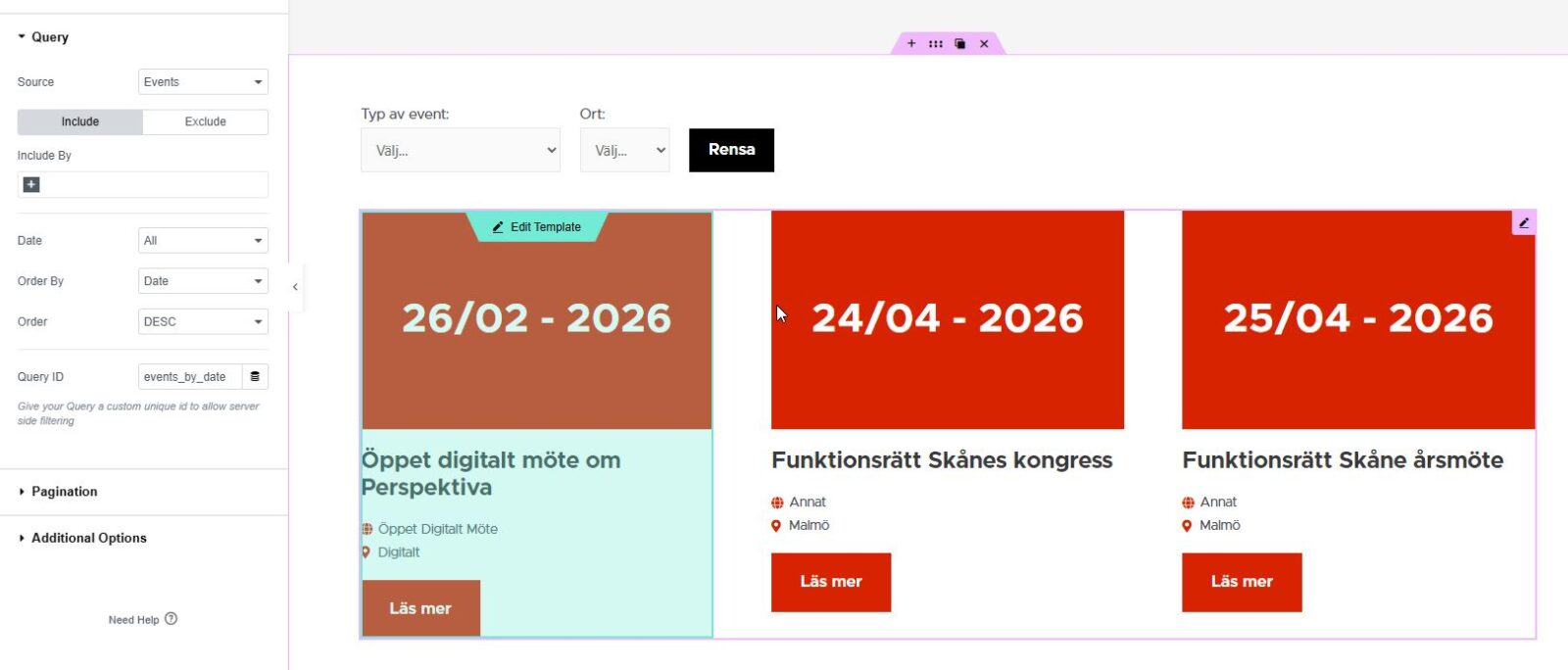
Even when Loop UI was set to “Order By: Date,” it sorted by publish date — not event date.
Also, Loop UI query controls were irrelevant because a Query ID override (events_by_date) was being used.
6.2 Architectural Solution
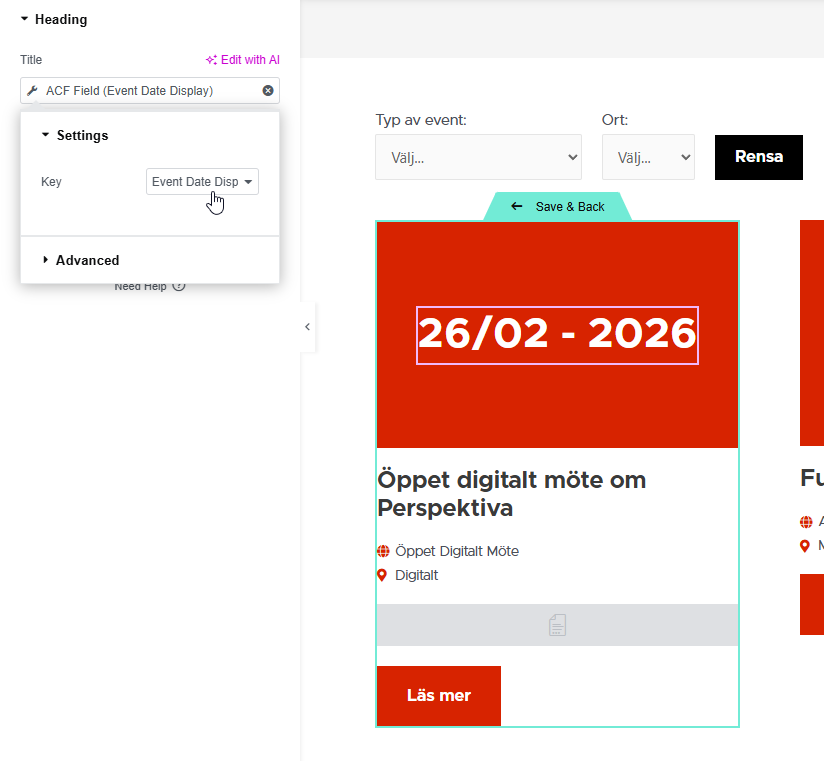
A) MU Plugin: Display field synchronization
A MU plugin was created: event-date-display-sync.php
Purpose: keep display formatting separate from storage logic.
What it does:
- Runs on
acf/save_post - Only for numeric post IDs (not autosaves/revisions)
- Only for CPT
event - Reads raw Date Picker value from
event_dateusingget_field(..., false)(returnsYmd) - Converts it to the desired display format
d/m - Y - Saves it into a dedicated ACF text field:
event_date_display - Clears
event_date_displayif date is missing
Result: Elementor outputs event_date_display reliably (no raw Ymd values on the frontend).
B) Elementor Query ID hook for chronological sorting
In the child theme functions.php, the query hook:
elementor/query/events_by_date
Forces:
post_type = eventmeta_key = event_dateorderby = meta_value_num(sinceYmdsorts correctly numerically)order = ASC(soonest events first)meta_queryrequiring the meta key to exist
Result:
- Loop Grid sorts chronologically by real event date
- Publish date no longer affects ordering
- Query ID overrides the Loop UI settings deterministically
7. Implementation Notes
- CPT architecture validation
- Taxonomy-based filtering structure (Category + Location)
- JetSmartFilters configuration cleanup + reset control
- Removal of unnecessary distance/geolocation logic
- API key consolidation for Maps stability
- MU-plugin display sync for consistent date output
- Query ID ordering by
event_date
The system was simplified rather than expanded.
8. Outcome
The directory now provides:
- Clean taxonomy-based filtering (Category + Location + Remove Filters)
- Stable Google Maps configuration (editor usability only)
- Correct chronological ordering by ACF event date
- Clean, formatted date display in Loop templates
- Reduced system fragility
- Scalable and maintainable structure
Editors only update the Date Picker and taxonomies — formatting and ordering remain automated and controlled.